
HP Laptop Services
Best HP Laptop Service – Quick Fix by Certified Technicians
Leading HP Laptop service centre in Bangalore Provides all models of HP laptop services and spares The best part is that our technicians are have professionally trained certified engineers we perform quality HP laptop repair services in Bangalore skilled in troubleshooting and fixing problems such as HP laptop display issues, power issues, motherboard failure, virus infections and operating system. For the enhanced output we have established the HP Laptop Service Center in Bangalore JAYANAGAR. We do customize the HP services to attain paramount success at the clients end.
Quality of the services is never compromised and this makes us the preferred choice among our competitors, contact HP service @ Jayanagar Bangalore.
Please feel free contact HP service @ 9900143144.
Some of our few services offered below:
- HP Laptop Service in bangalore
- HP Laptop Chip Level Service
- HP Laptop LCD Screen replacement
- HP Laptop Keyboard Replacement
- HP Laptop Hard Disk Replacement
- HP Laptop Hard Disk Upgrade
- HP Laptop Optical Drive Replacement
- HP Laptop Motherboard Repair and Replacement
- HP Laptop Data Recovery and Data Transfer
- HP Laptop Inverter Repair and Replacement
- HP Laptop Memory Upgrade
- HP Laptop Power Jack Repair and Replacement
- HP Laptop Operating System Install
- HP Laptop Hinges repair, replacement
- HP Laptop Heating Problem Services
- HP Laptop Top Cover Display panel
- HP Laptop Touch Pad Repair & Replacement
- HP Laptop BIOS Recovery & Flashing
- HP Laptop BGA Chip replacements Viruses, Trojan and Spyware Removal
HP Laptop Troubleshooting Guide – Self-Help Fixes for Common Problems
Hardware Checks
Power and Battery
- Check Power Source: Confirm the adapter is plugged in properly and LED indicator is on.
- Test Charger: Try another compatible charger or cable.
- Battery Check
- If the laptop works only with the adapter, the battery might be faulty.
- Remove and reinsert the battery (if removable).
Display Issues
- Blank Screen
- Check brightness settings.
- Try connecting to an external monitor to confirm if the issue is the screen or GPU.
- GPU
- Flashing or flickering could indicate cable (LVDS) or display driver issues.
- Backlight Test: Shine a flashlight on the screen; if you see faint images, the backlight/inverter might be bad.
Keyboard, Mouse, and Ports
- Keyboard
- Check for stuck keys or dust.
- Test with an external USB keyboard.
- Touchpad/Mouse
- Enable/disable using shortcut (often Fn + F7/F9).
- Check in BIOS if it’s detected.
- USB/HDMI Ports:
- Test each port with another device.
- If not working, check Device Manager (Windows)
Storage and RAM
- RAM Issues
- Frequent restarts, blue screens, or no display on boot often point to bad RAM.
- Try reseating or testing one RAM stick at a time.
- Hard Drive / SSD
- Listen for unusual clicking sounds.
- Run built-in diagnostics (Dell ePSA, HP Hardware Diagnostics, Lenovo UEFI).
- Overheating / Fan Noise
- Check Vents: Ensure air vents aren’t blocked.
- Clean Dust: Use compressed air to remove dust.
- Thermal Paste: Reapply if overheating persists after cleaning.
- Fan Test: Ensure fan spins during startup; use BIOS diagnostics if available.
Software Checks
Startup Problems
- Safe Mode Boot
- Windows: Press F8 or Shift + F8 (or through Recovery → Advanced Startup). • macOS: Hold Shift while booting.
- Check for Updates: Missing or failed OS updates can cause boot loops.
- System Restore / Recovery: Use restore points or recovery partitions to roll back changes.
Operating System Issues
- Slow Performance:
- Disable startup apps.
- Check Task Manager (CPU, Memory, Disk usage).
- Run Disk Cleanup or delete temp files.
- Frequent Crashes:
- Update device drivers (GPU, chipset, etc.).
- Scan for malware.
- Check for corrupt system files:
- Windows: Run sfc /scannow and DISM /Online /Cleanup-Image /RestoreHealth.
- macOS: Run Disk Utility → First Aid.
Frequently asked questions
Our FAQ section is designed to answer the most common questions about our laptop repair, data recovery, spare parts, and projector services. Here, you’ll find quick and reliable information to help you understand our process..
Do you repair HP Pavilion, Envy, ProBook, and Omen models?
Yes, we handle all HP laptop series.
Can you fix overheating and performance issues on HP laptops?
Yes, we offer cooling service and performance optimization.
Do you replace HP screens, batteries, or hinges?
Yes, all commonly damaged hardware can be replaced.
Do you offer same-day HP laptop service?
Yes, for common issues and quick fixes.
What warranty is provided on HP repairs?
Warranty depends on part and repair type.
In addition to that we also deal with HP original Laptop Adapters and Batteries. We made these services accessible to the clients at highly feasible prices.
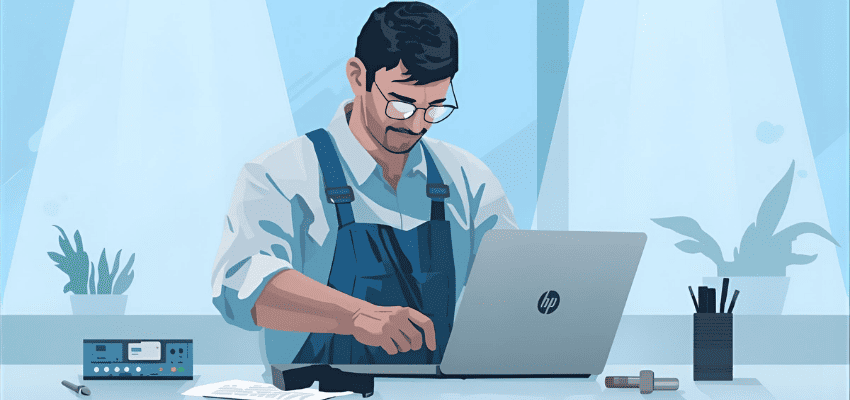
All kind of HP Laptop & Notebook repairs & services from Hiflex Laptop service center Bangalore. HP Laptop service center in Bangalore, HP Laptop repair in Bangalore. HP Laptop services in Bangalore Jayanagar , HP Laptop motherboard repair in Bangalore, HP Service center in bangalore.